
What memory is
Memory is the durable layer under your team. It survives model changes, specialist changes, time. It is not chat history: chat history is a record of what was said, memory is what you decided to keep. Everything in it was either written by you or proposed by Lorah and approved by you in Review.
Every specialist thinks with it. For each task Lorah selects the relevant approved memory, within its scope and context limits, and with it what evidence supports earlier conclusions and what should not be repeated. If not everything fits, the reply says what was left out. Approving an item means you accepted it, not that it was fact-checked; you can always see where it came from and replace it.
Authored. Yours.
Goals, constraints, priorities, principles, and working context: the background that helps a specialist answer with the right frame. Set during onboarding, edited any time in Settings.
- “Position Lorah as a local-first workspace, not an agent platform.”
- “Launch copy is practical and precise, not hype.”
- “Workspace data stays on the user's machine.”
Accumulated. From the work.
Facts, decisions and glossary terms that surface from syncs, rooms and wrapped-up chats, and also a rejected option, a source-backed conclusion, a useful working assumption, an important constraint. Each one passes through Review first.
- Fact: the first roasters are a group of twelve, by invite.
- Decision: launch with the roast timer only, tasting notes in the next update.
- Glossary: “batch” means one roast, not one bag.
How it becomes memory
A sync reads what your specialists said since the last one and proposes what is worth keeping: facts, decisions, terms, each with the line it came from. It runs on a schedule you set, or when you press Sync now in Review, and costs a few cents for a small team. Every run, what it proposed and what it cost, stays in History. Chat, then sync, then memory, then every specialist's context. Sync runs on Lorah's own runtime, an Anthropic or OpenAI key or a qualifying local model; a workspace with only a Gemini, Perplexity or xAI key can chat but can't sync.



After a sync: four candidates waiting in Review, each with who said it.
You decide, one card at a time
Each sync is one group in Review, titled by who contributed. Walk through it item by item, or press Approve safe to take the safe ones in one go; the rest still wait for your yes. A rejected item never enters memory. Whatever a room settles lands in the same queue.
Working the queue: one kept, one edited, one rejected.
Every item knows where it came from
Approved memory stays connected to its source: a conversation, a sync, a room, a document, a vetted source. When the source is still available you can open the exact line a decision came from, which is how you find out whether it is still true. In a chat, a mention of a memory item is a citation you can click into.
A decision, the graph of what it touches, and the room line it came from.
Correct it when it changes
Projects move. A decision gets replaced, a date slips, an assumption turns out wrong. Open the item and press Supersede memory. Write the new version; it goes to Review as a replacement, and once approved the old one is marked superseded and stays in the history. The goal is not to remember everything forever; it is to keep the current working truth visible, reviewable and useful. An item is always in one state: active, superseded, disputed, archived or deleted. A candidate you rejected stays rejected; the same fact can still be proposed again later.
Adding by hand works too. Open Memory and press Add memory: a fact, a decision or a term, active immediately, with you as the author. And in any chat, Remember this on one of your own messages drafts an item for you.
Launch with the roast timer only. Tasting notes in the next update.
Jack · the launch room · approved by you on TuesdayLaunch with the roast timer only. Tasting notes dated on the launch page.
You, just now · replaces the item above once approvedLaunch with the roast timer only. Tasting notes in the next update.
Kept in the historySupersede: the replacement waits in Review, and the old version stays in the history, marked.
Walkthrough
Facts, decisions, glossary, and the provenance behind each one. Then a sync from start to finish and the review that follows.
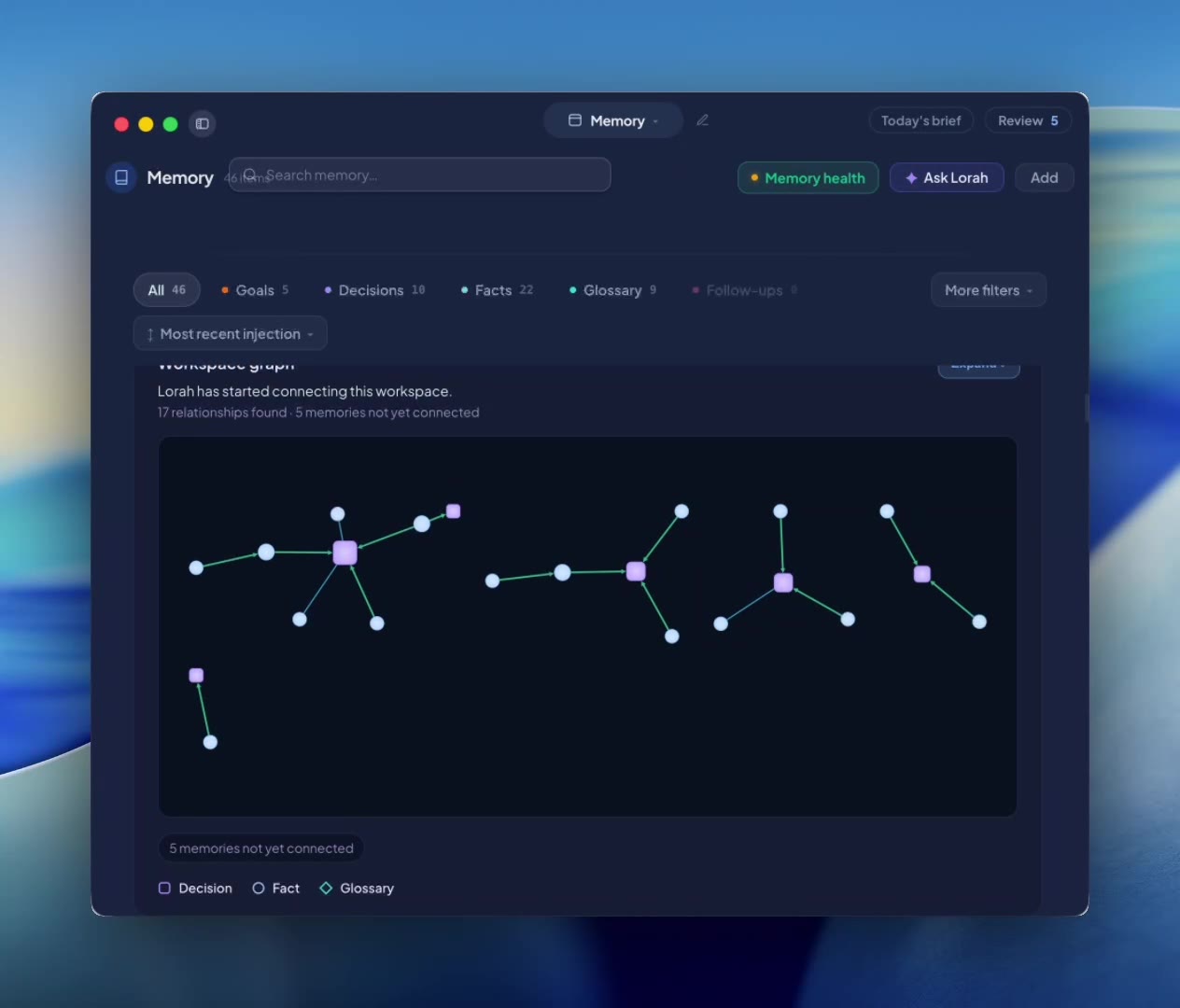 Memory0:44
Memory: what the team carries forward.
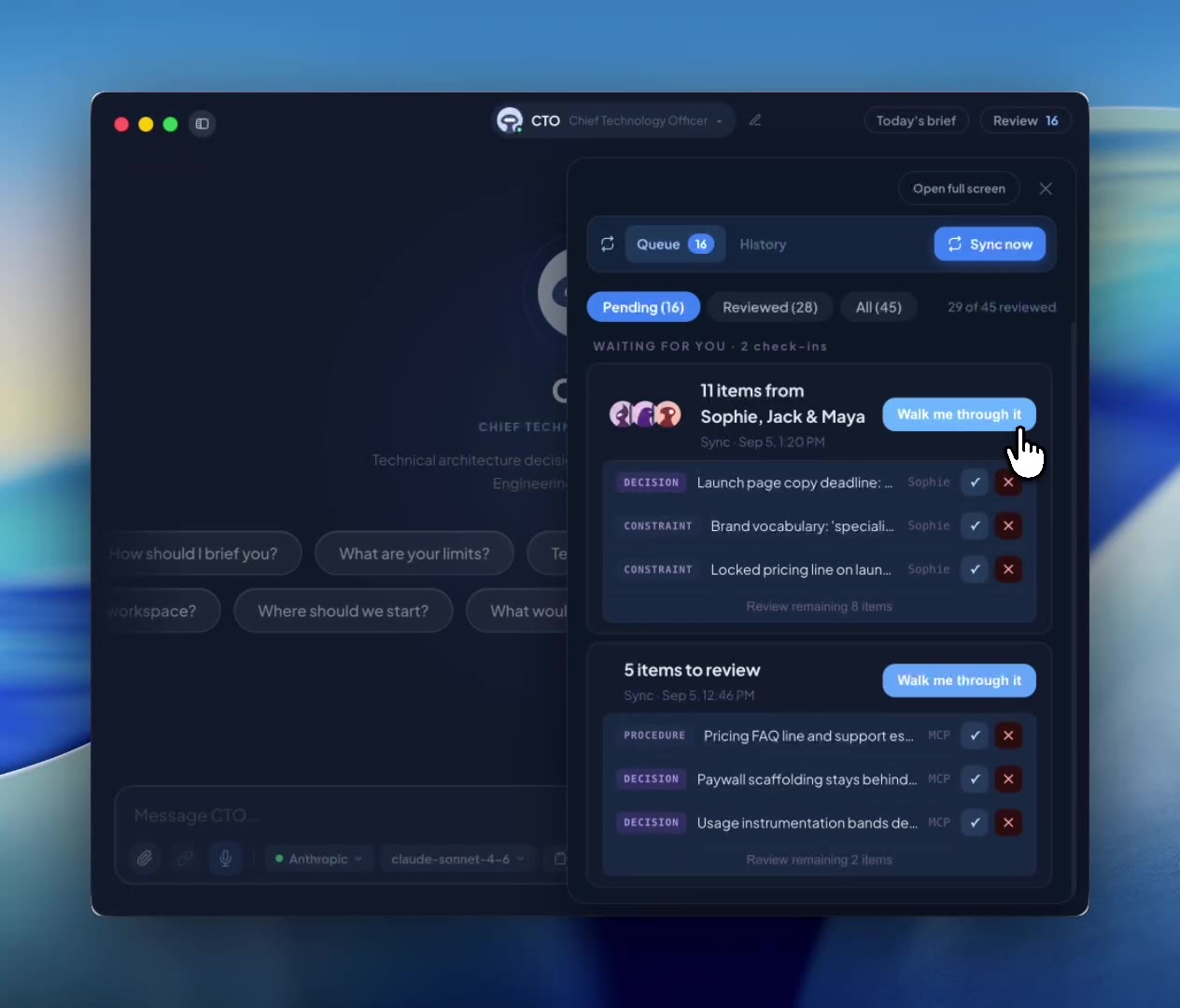 Sync and Review0:49
Sync and Review: how a conversation becomes memory.
Where to find it
- The Review pill in the top bar. Opens the queue as a side panel over your chat, with a count of what is waiting. Open full screen from there for History.
- The drawer. Press ⌘\ on macOS or Ctrl+\ on Windows and pick Memory; scan your goals there to see what specialists think they are working toward, and the Add menu is at the top: a fact, a decision or a glossary term, entered straight into memory. Pick Sync instead and Review opens full screen, with History for every past run.
- The schedule. Settings, then Automatic syncs. Turn it on and pick how often; Sync now works at any time.