
What it is
Materials is your team's shelf. Add a document, choose who it is for, and those specialists read from it and quote it back with the source. Pinned content becomes citable context for the specialists it is assigned to, within what fits. Briefs, specs, research notes, anything too long to reduce to a fact.
Memory holds facts and decisions.
Atomic, reviewed, one line each. “The first roasters are a group of twelve, by invite.” Each specialist gets it when it fits the task.
Materials holds documents.
The full text those facts came from, or never got reduced to. A brief, a spec, twelve interviews. Assigned to the specialists who need it, and quoted with the source.
Add a document
- Upload a file, or paste a linkFrom the drawer, or straight from the box in a chat. Lorah asks who it is for: everyone, or only the specialists who need it.
- Choose who receives itA document is sent as assigned context to the specialists you chose. Governed sources have additional sending and evidence rules. Assignment and actual delivery are shown separately, in the receipt.
- Mark the important ones as vetted sourcesA vetted source has a kind, a sending rule, and its versions are kept. Ordinary documents don't.


 EveryoneJack only
Sending rule: never send excerpts to an outside provider. Jack reads it through his local model.
Maya, SophieSophie onlyMaterials. Who each document is assigned to, and a vetted source with a sending rule.
Assigned is not the same as read
A pinned document goes into a specialist's reply as much as fits; long ones are condensed. The receipt under every reply says what went in and what was left out.
Receipt · Maya's replyclaude-opus-4-6 · $0.04
The receipt under a reply: what fit, what was condensed, what was never sent.
Vetted sources
For the documents that matter, give them a kind and a sending rule. The rule you will use most: never send excerpts to an outside provider. Governed sources have explicit sending rules. Check the destination and the source policy before using sensitive material; summarizing protected information does not, by itself, authorize sending it elsewhere.
Walkthrough
Pinning a document and watching a specialist cite it back.
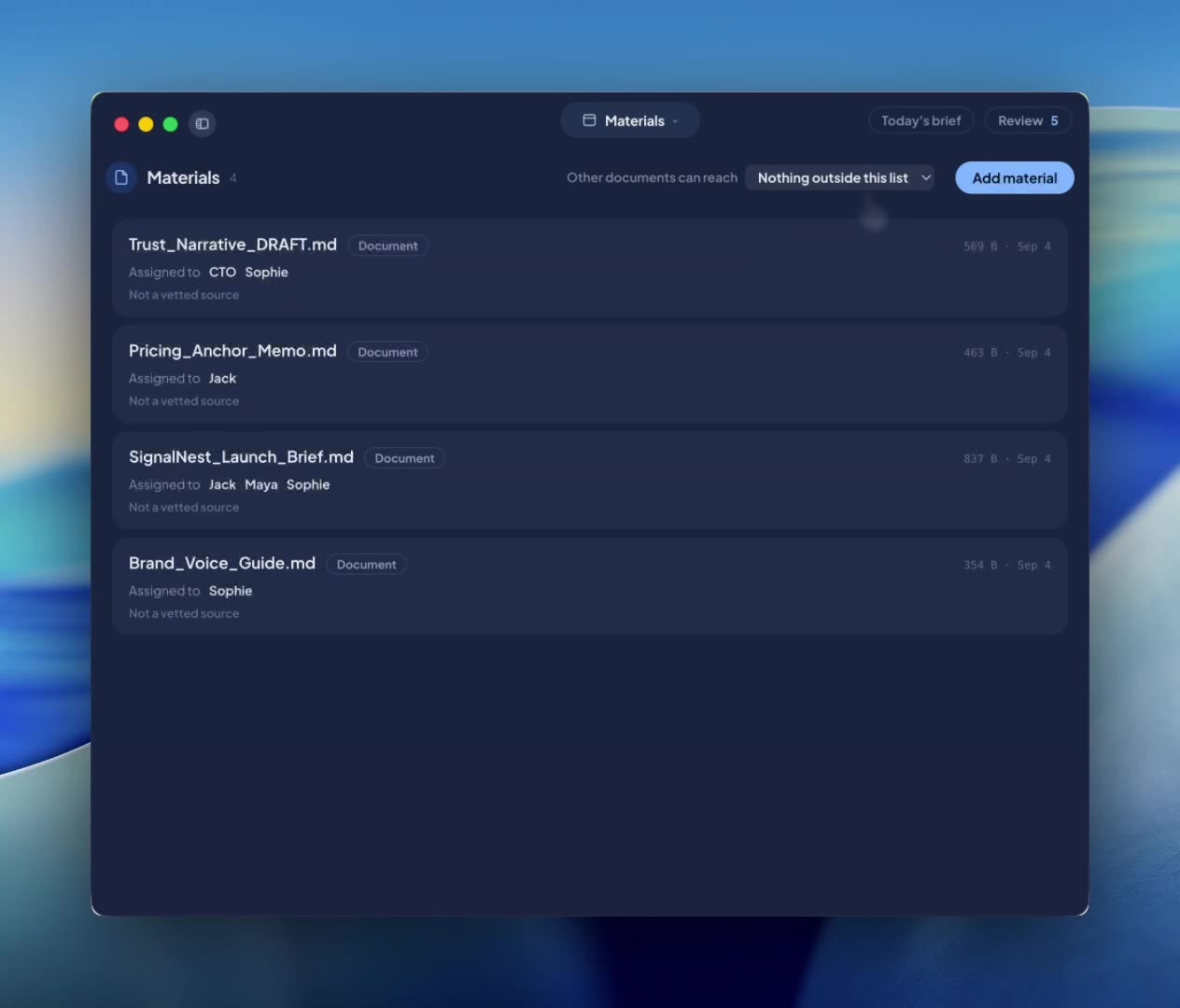 Materials0:33
Materials, in under a minute.
Where to find it
- The drawer. Press ⌘\ on macOS or Ctrl+\ on Windows and pick Materials. Each document shows an “Assigned to” line.
- From a chat. Attach a file from the box, or paste a link and press Read. Attached documents show as chips in the conversation.